
Quick-service & counter
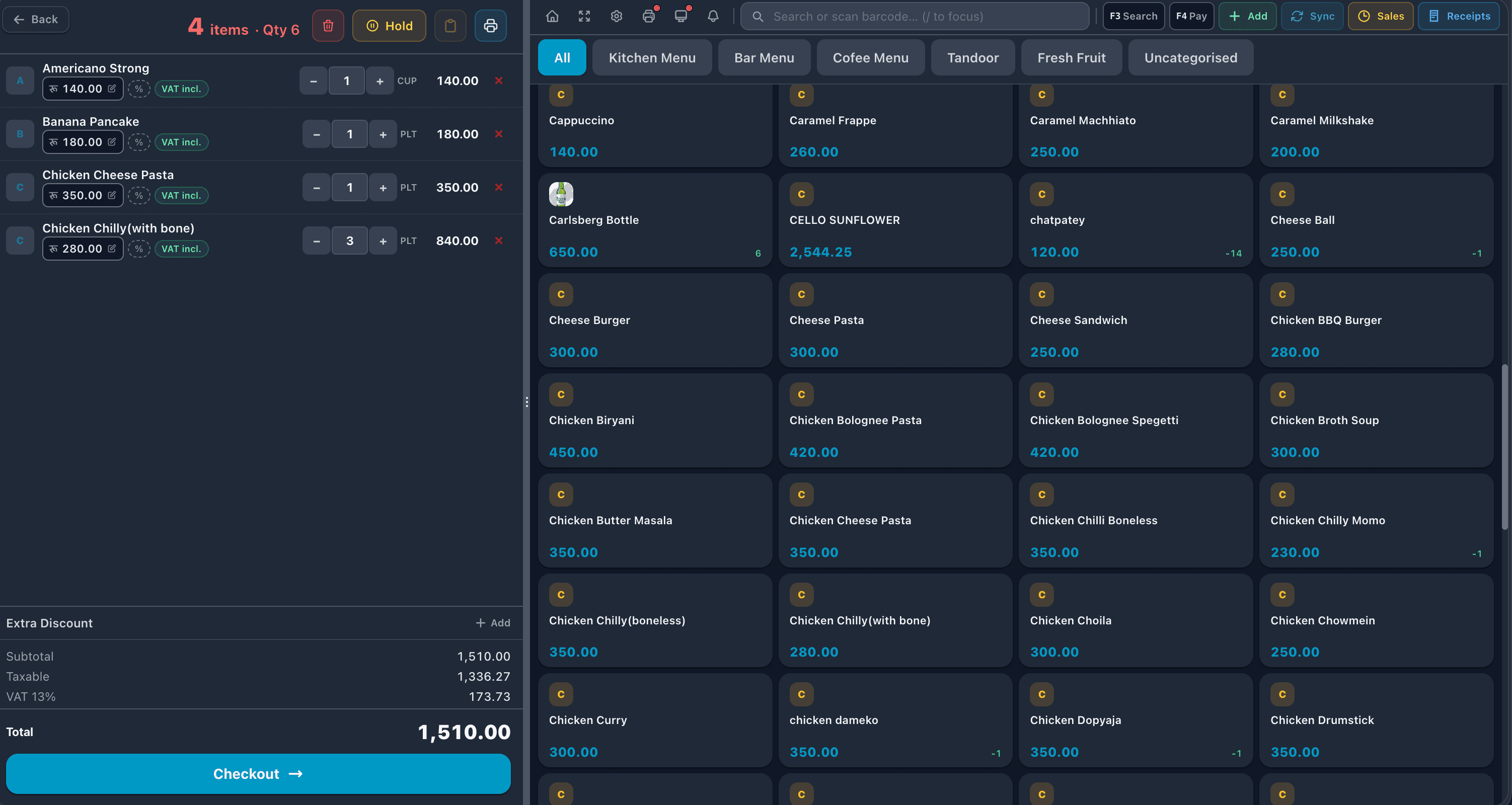
Fast order entry and one-tap payment keep the line moving, with orders sent straight to the kitchen.
Restaurant POS system
A restaurant order isn't a checkout — it opens when the party sits down, grows across rounds, moves through the kitchen and settles, often split, an hour later. ScomsPOS is a cloud restaurant POS system built for exactly that, on one cloud POS platform.
Order flow
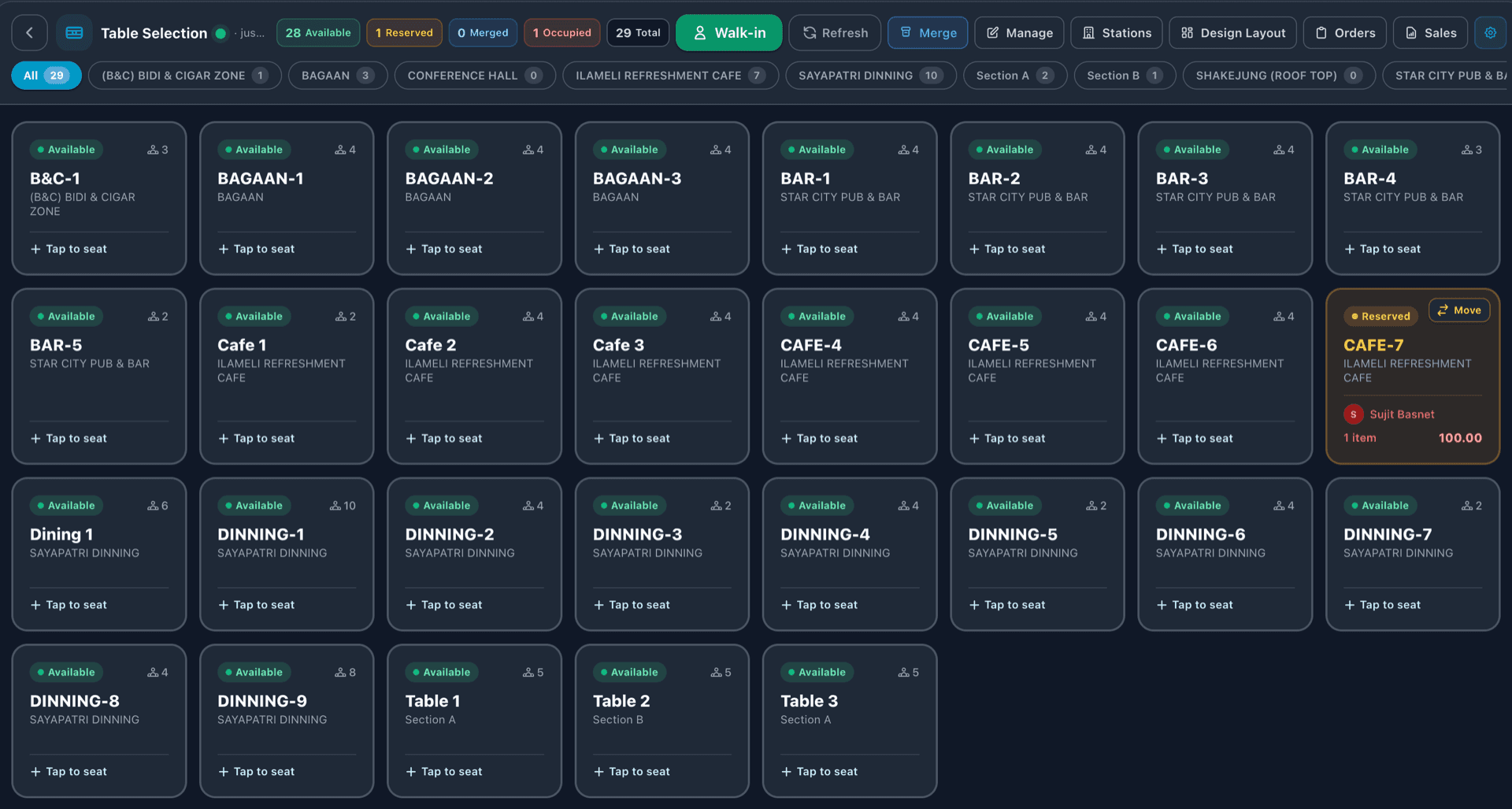
Seat the party on a live floor plan, open the ticket and add items in rounds. Orders reach the kitchen as kitchen tickets the moment they're sent, and the order board shows what's new, preparing, ready and served — so nobody walks back to ask.
When the meal ends, the check settles the way the table wants to pay: split across diners, tips added — with cash, card or wallet/QR, at the table or the counter.
Menus & modifiers
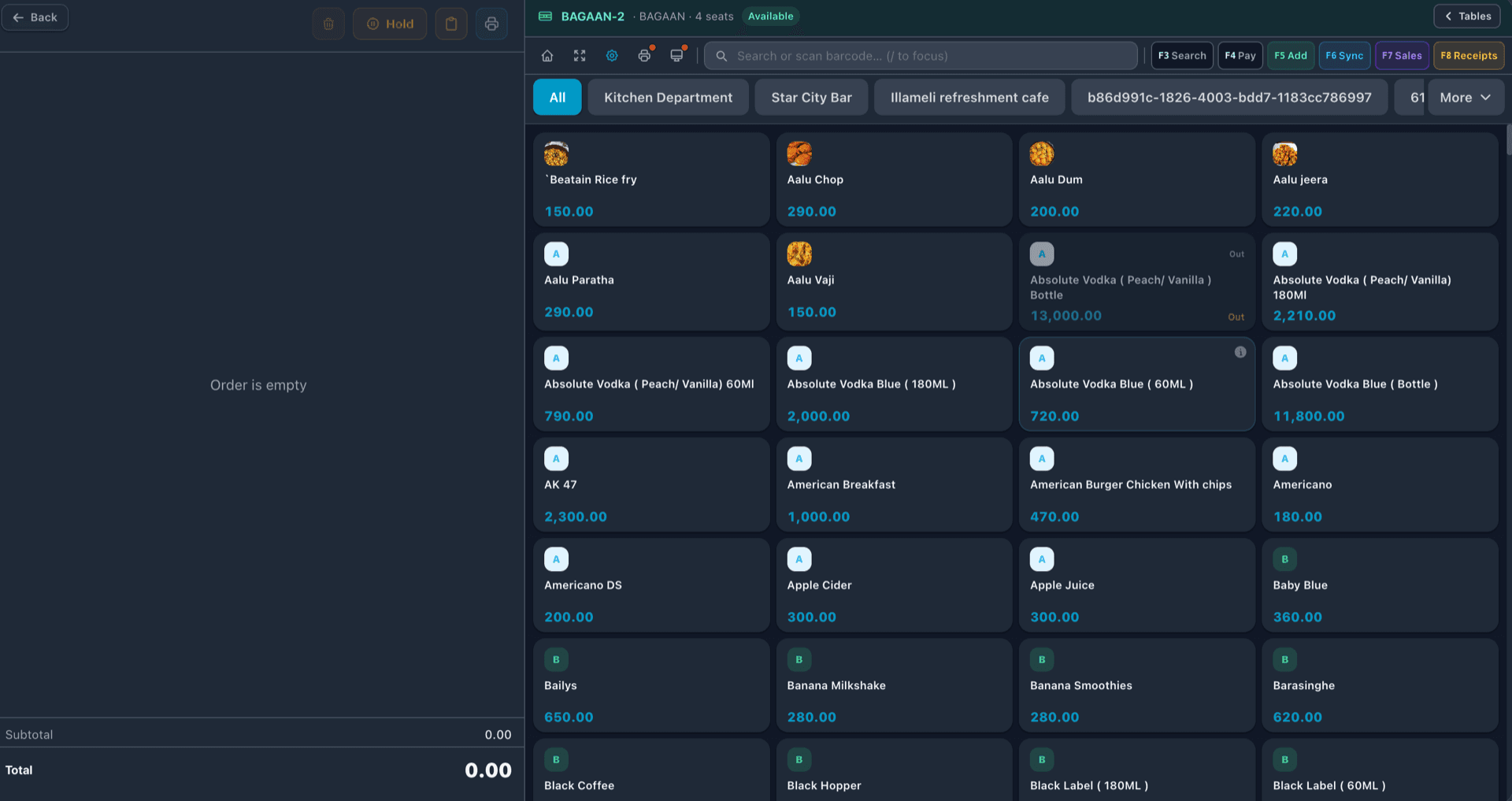
Restaurant items are built at order time — no onions, extra cheese, swap the side. ScomsPOS manages menus, modifiers and combos in real time, so a price change or a sold-out item shows on every terminal at once.
Behind the menu, live inventory flags low stock, and suppliers and purchase orders live in the same system — so the bar knows what's running out before the Friday rush does.
See it live
ScomsPOS runs fully in the cloud: every order and payment lands the moment it happens, and owners watch service from any device, on site or away. End-of-night reports are done when the last table pays.
Opening a second venue? Read our guide to running one POS across multiple locations.
Every service format
Quick-service, full-service, cafés and bars run on the same platform — a venue that mixes formats doesn't need two systems.
Fast order entry and one-tap payment keep the line moving, with orders sent straight to the kitchen.
Floor plans, table management, rounds and checks that stay open until the party settles.
Counter speed plus table service in one system — no choosing between a till and a restaurant workflow.
Open tabs, split payments and tips at the bar, with the same live reporting as the kitchen side.
Room-service and dining orders on the same order board as the restaurant floor.
One menu managed centrally, served everywhere, with per-branch reporting.
Smart cross-sell, built in
At the counter, someone asks "want a drink with that?" Online, your website does it for you: a few well-chosen extras, shown at the moments people are most likely to say yes.
On the item page
A "Goes well with" row under what they're looking at.
Right under Add to cart
Suggestions in the item pop-up, before they've moved on.
In the cart
"Complete your order" with what's usually missing.
At checkout
Two last-minute adds. Never a pop-up after they pay.
It comes with your website: no plugin to install and nothing for your staff to do.
See it on your own menuAdd online ordering
Give guests your own branded ordering website. Orders land on the POS order board, kitchen tickets print, and guests get an e-mail or text as their order moves along.
Explore online ordering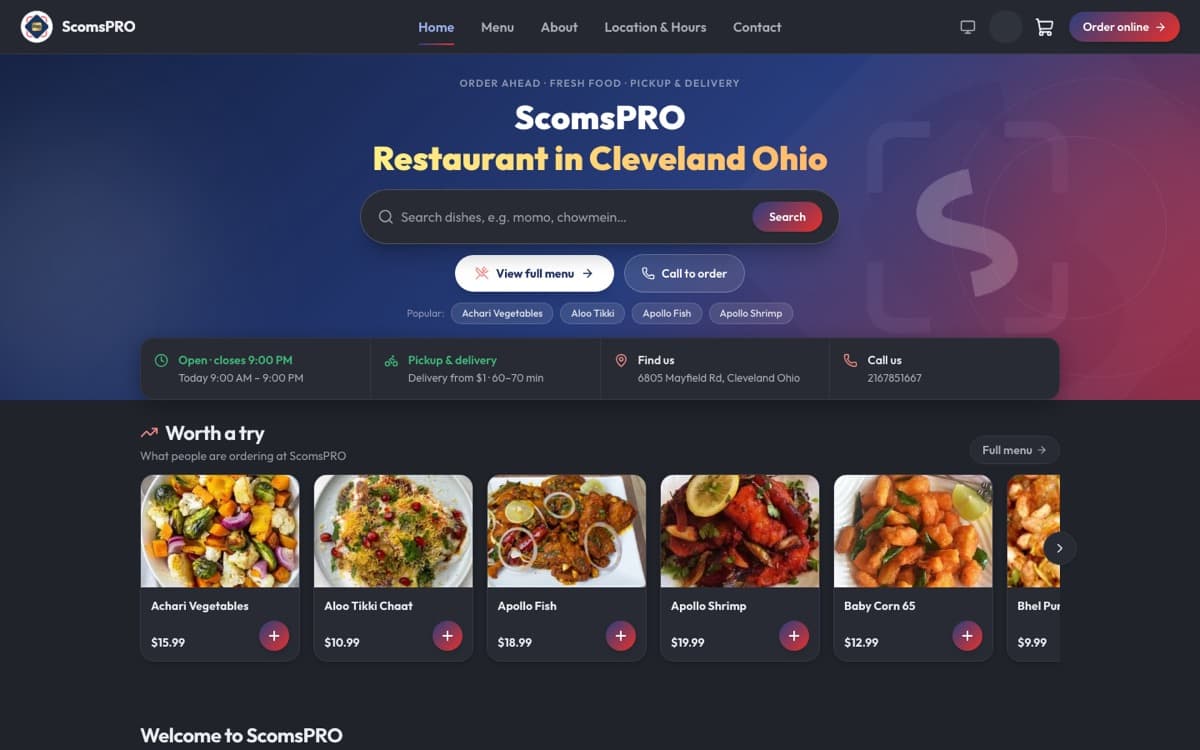
Simple pricing
Free catalog and menu setup on every plan. Runs on the devices you already own.
Compare plansPOS only
from $10/month
Sell & grow — POS, ordering website, loyalty & marketing
$45/month + 4% platform fee per online order
Questions owners ask
Restaurant orders stay open: a ticket is created when a party is seated, items are added in rounds, sent to the kitchen at different times, and settled — often split — at the end. ScomsPOS is built around that lifecycle, with table management, order flow, and kitchen-ready workflows rather than a single scan-and-pay transaction.
Yes. Split a bill across diners and payment types — cash, card, wallet/QR — add tips, and keep table orders open across rounds until the party settles, at the table or the counter.
ScomsPOS supports quick-service and full-service restaurants, cafes, and bars. Fast counter checkout and table-based service run on the same platform, so a cafe with counter orders and a dining room does not need two systems.
Yes. ScomsPOS is fully cloud-based, so open tickets, table status, and sales figures are visible in real time from any device, wherever you are. Owners and managers can follow a busy service, check covers, and pull end-of-night reports without standing at the terminal.
Yes. Menus, modifiers, and combos are managed in real time, and multi-location restaurants run every branch from one dashboard with centralized control, consolidated reporting, and role-based staff access.
Orders reach the kitchen the moment they're sent: kitchen tickets print to your kitchen printers, and the order board shows every order as new, preparing, ready or served — so front-of-house can check status without walking back.
ScomsPOS starts at $10 per month for one register, or $20 per month for multiple users, CRM, loyalty and multi-location management. Add your own online ordering website, loyalty and marketing with Sell & grow: $45 per month plus a 4% platform fee per online order. No setup fees, and menu setup is free.
See how your own menu would look and sell on NEAPES. We'll show you the numbers, not a slideshow.
Square, Toast, Clover, Shopify POS, and ScomsPOS compared on pricing models, hardware lock-in, and restaurant workflow depth.
Order lifecycle, modifiers, kitchen routing, and split payments — five structural differences, not cosmetic ones.
Menus, stock, tablets and costs: what changes when ordering is part of the POS.
See how the retail side of ScomsPOS handles barcodes, catalogs and store inventory.