
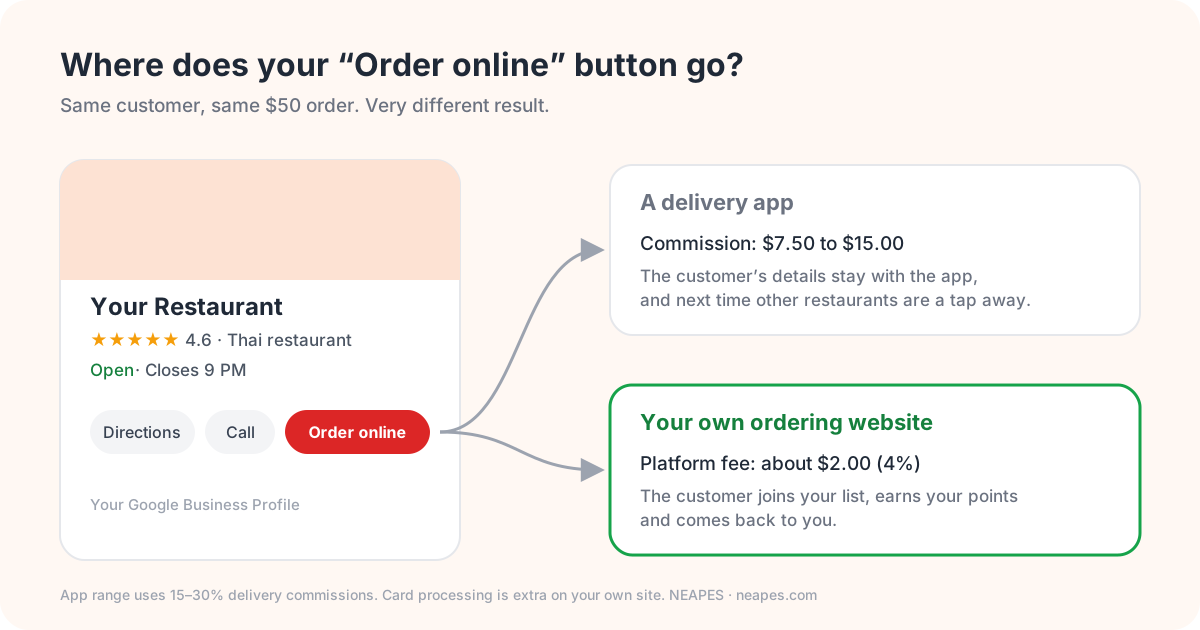
Before most people see your website, they see your Google Business Profile. It's the panel that comes up when someone searches for you or finds you on Maps, with your photos, hours, reviews and buttons to call, get directions or order. For many restaurants it's the most-viewed page they have, and it costs nothing.
It's also very easy to set up once and never look at again, which is how you end up with wrong hours and a cover photo of a dish you stopped making two years ago. Here's how we'd set one up for a restaurant, going through it field by field.
Claim it with an email the business owns
Search for your restaurant on Google Maps. If it's already listed (it often is, added by Google or by a customer), choose "Own this business?" and follow the steps. If not, add it. Google will want to check you're the owner, usually by phone, email, a short video of the place or, occasionally, a postcard.
One small thing that saves a big headache later: use an email address the business controls, not a manager's personal Gmail. People move on. The profile shouldn't go with them.
Name and category
Use your real name, exactly as it is on the sign. It's tempting to write "Joe's Pizza – Best Pizza in Cleveland", and plenty of places do, but it's against Google's guidelines and profiles do get suspended for it.
For being found, the primary category matters far more than the name. Pick the most specific one that's true: "Sushi restaurant", "Mexican restaurant", "Bakery". Then add secondary categories for anything else you really are, like "Takeout restaurant" or "Caterer". Don't add ones you aren't. A pizza place listing itself as a bar won't fool anyone.
For the description, two or three ordinary sentences is plenty: what you cook, what people come back for, and that they can order pickup or delivery online.
Hours, including the ones people forget
Regular hours are the easy part. The trouble comes from holidays, private events, snow days and the week you close for a family wedding. Google lets you set special hours ahead of time, so add them as soon as you know, not on the morning itself.
If the kitchen closes before the dining room or the bar, say so in the description. And check that your online ordering stops taking orders when the kitchen does. A 9:55 order for a kitchen that shut at 9:30 doesn't end well for anyone.
Menu and order links: the part that makes you money
Restaurants can add a menu link and ordering links to their profile. It's the most important setting on the whole page, and the one most often pointing at the wrong place.
Point both at your own website. If the order link opens a delivery app, every order your Google profile brings in pays that app's commission, which runs 15 to 30 percent on delivery. On a $50 order that's $7.50 to $15. On your own ordering site with a 4% platform fee, it's about two dollars, and the customer's name and email stay with you.
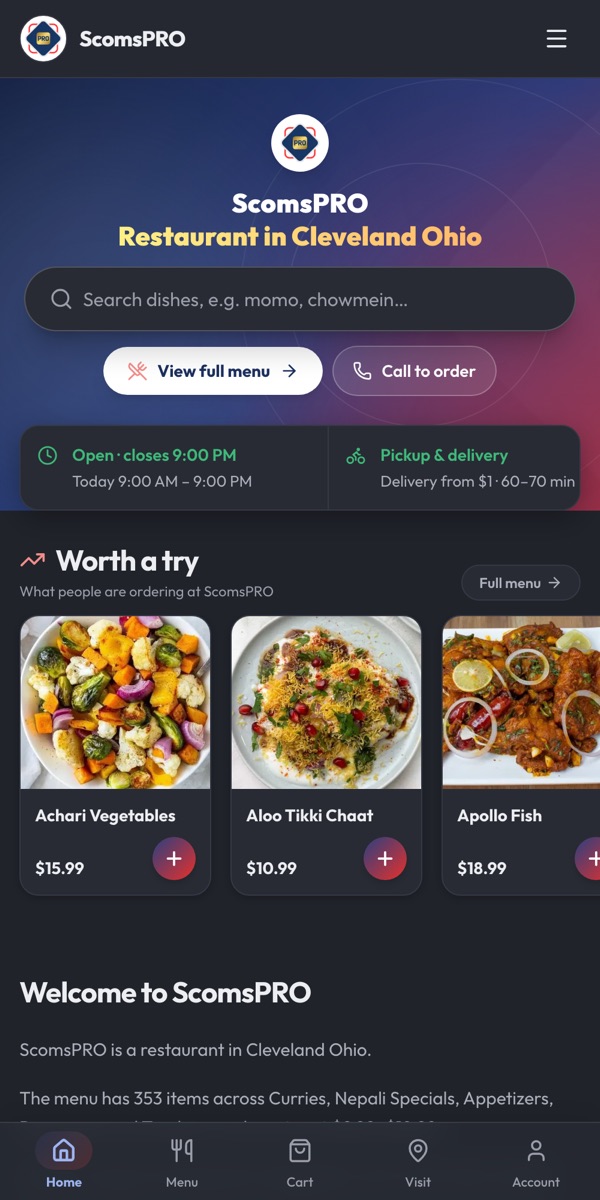
Sometimes delivery apps also appear on your profile as ways to order, and you can't always get rid of them. That's fine. Make sure your own link is there too, and give people a reason to pick it, like the same prices as in the restaurant instead of app markups, or points on every direct order.
And keep the menu current. If the online menu is three dishes and two price rises behind, somebody's going to have an awkward conversation at the counter.
Photos
You don't need a photographer. A recent phone and a table by the window will do. What helps most:
- A cover photo of the dish you're best known for
- The outside of the building, taken from where people park or walk up, so they recognize it
- The inside: the dining room, the counter, the spot where pickup orders wait
- Your best sellers, one per photo
Add a few more every month. Customers will add theirs too, and some of those will be taken in bad light at midnight, so it helps if yours are the good ones.
Reviews
Your profile dashboard gives you a short link that opens the review form directly. Turn it into a QR code for receipts and a card in takeout bags, and add it to the message customers get when their order's ready. That's when they're happiest with you.
Never pay for reviews or swap them for discounts. Do answer every one. Thank people by name for the good ones. For the bad ones, keep it short and calm and say what you're doing about it. People deciding between you and the place across the street really do read those replies.
Posts
Google Posts are short updates that show on your profile. Use them for things people would actually want to know: a new seasonal dish, a weekday lunch special, holiday hours, a reminder about catering before graduation season. Add a photo and link the post to the right page on your ordering site, so someone can go straight from reading about the special to ordering it. Every week or two is a good pace.
Same name, address and phone everywhere
Your details should match on your website, Google, Apple Maps, Yelp, Facebook, Instagram and any directory you're listed in. When they don't, search engines are less sure which version is right, and customers end up calling a number that stopped working years ago. It's dull work, but you only have to do it once.
Is it working?
The profile shows how many people found you and what they searched for, plus how many called, asked for directions or clicked through to your website. Pay the most attention to searches for dishes and cuisines rather than your name. Those are people who didn't know you yet. Then compare clicks to your site with the online orders you actually received.
A checklist to keep
- Claim and verify with an email the business owns.
- Your real name, the most specific primary category, honest secondary categories.
- Regular hours, plus special hours added ahead of time.
- Menu link and order link pointing at your own website.
- At least ten real photos: dishes, outside, inside.
- A review link on receipts, bags and order messages.
- A post every week or two.
- The same name, address and phone everywhere.
Your Google profile gets you the click. You still need a good place for it to land. NEAPES builds restaurants and grocery stores their own branded ordering website, connected to the POS, with pickup and delivery on your terms and loyalty built in, for $45 a month plus a 4% platform fee. See how it works, or read our bigger guide to restaurant SEO.
Frequently asked questions
Does a Google Business Profile cost anything?
No. Creating, verifying and managing a Google Business Profile is free.
How do I add an Order online button to my Google profile?
Restaurants can add a menu link and ordering links in their profile settings. Use the address of your own ordering website, so the orders Google sends you come to you rather than to a delivery app.
Which category should my restaurant pick?
The most specific one that's true, like "Thai restaurant" or "Pizza restaurant". Then add secondary categories for anything else you genuinely do, such as takeout or catering.
Can I put keywords in my restaurant's name on Google?
No. Your profile name should match your real name. Adding keywords breaks Google's guidelines and can get the profile suspended.
How do I get more Google reviews?
Ask everyone, and make it easy: put your review link as a QR code on receipts and bag cards, and include it in the order-ready message. Reply to every review, and never pay or give discounts for them.
Tagged: