
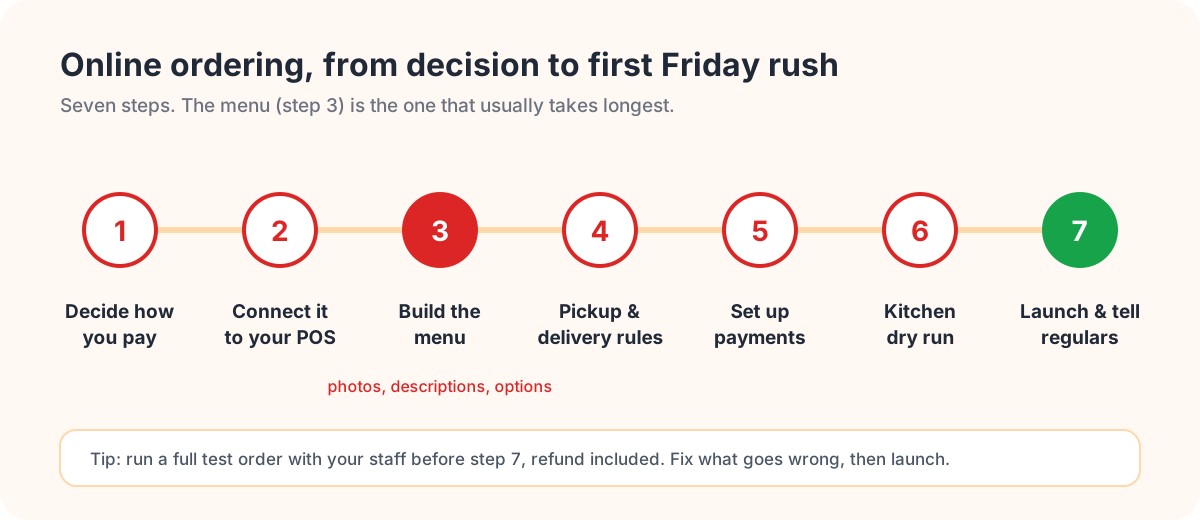
Taking orders online used to mean a big project and a developer. Now an independent restaurant can be up and running in a few days. And the technology is rarely what goes wrong. What goes wrong is a menu that's hard to use on a phone, orders arriving on a tablet nobody's watching, and a "launch" that consists of quietly adding a link to the website and hoping.
Here's how we'd go about it, in the order we'd do it.
1. Decide how you want to pay for it
There are really three ways a restaurant takes orders that aren't in person, and they cost you very differently.
Delivery apps like DoorDash and Uber Eats charge a commission on every order, commonly 15 to 30 percent on delivery. You get their audience, but the customer relationship mostly stays with the app. Your own ordering website usually costs a flat monthly fee, a small per-order fee, or both, and the customer is yours. Phone orders look free on paper, but they cost staff time, tie up whoever's at the counter, and a misheard order gets remade on your dime.
Most restaurants end up with a mix: the apps so new people can find them, their own site for everyone who comes back. If you're starting from scratch, start with your own site. It's the channel that gets more profitable the busier it gets. We worked through the math on that in a separate post.
2. Make sure orders land on your POS
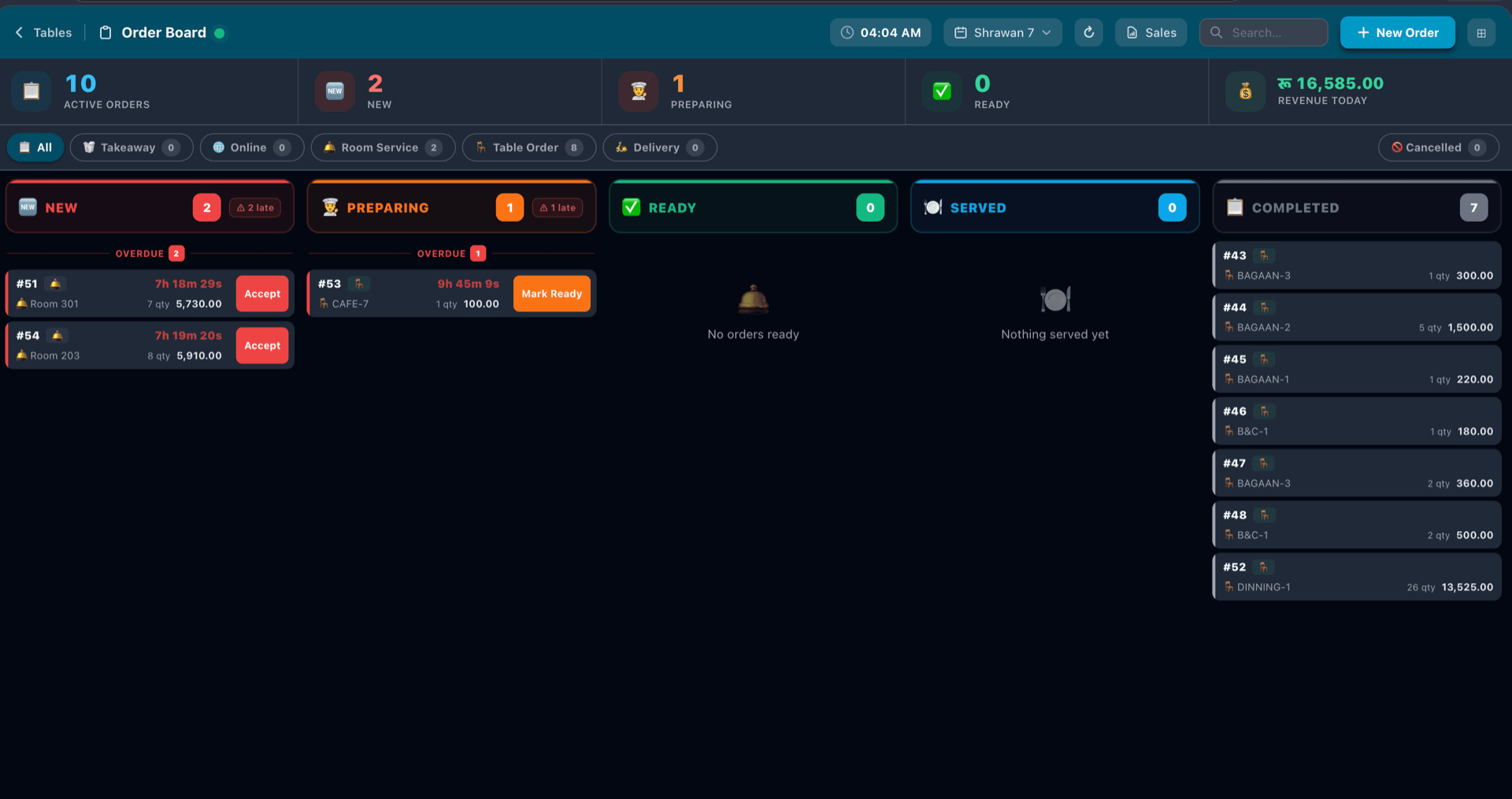
This is the difference you'll feel every day. If online orders show up on a separate tablet and someone has to punch them into the POS, you've doubled the work and doubled the chances of a mistake, usually on your busiest night.
You want orders to appear on the POS itself with the payment already recorded, kitchen tickets that print on their own, and one menu shared between the counter and the website, so when you raise the price of the lamb curry you only do it once. While you're comparing systems, work out what each one would cost at twice your current volume. Percentage pricing that looks cheap now can look very different once you're busy.
3. Build a menu people can use with one thumb
This step takes the longest, and it's worth it. An online menu isn't the printed menu typed in. People are ordering on a phone, often hungry, sometimes while walking.
Keep categories short and in the order people eat: starters, mains, sides, drinks, desserts. Get photos of your best sellers at the very least. Write a line for each dish saying what's in it and what it comes with. Set up options properly (size, spice level, protein, extra sauce) so the kitchen never has to call a customer back. And be honest about what travels. If a dish is sad after twenty minutes in a box, leave it off.
There's a lot more on this in how to build an online menu that sells.
4. Set your pickup and delivery rules
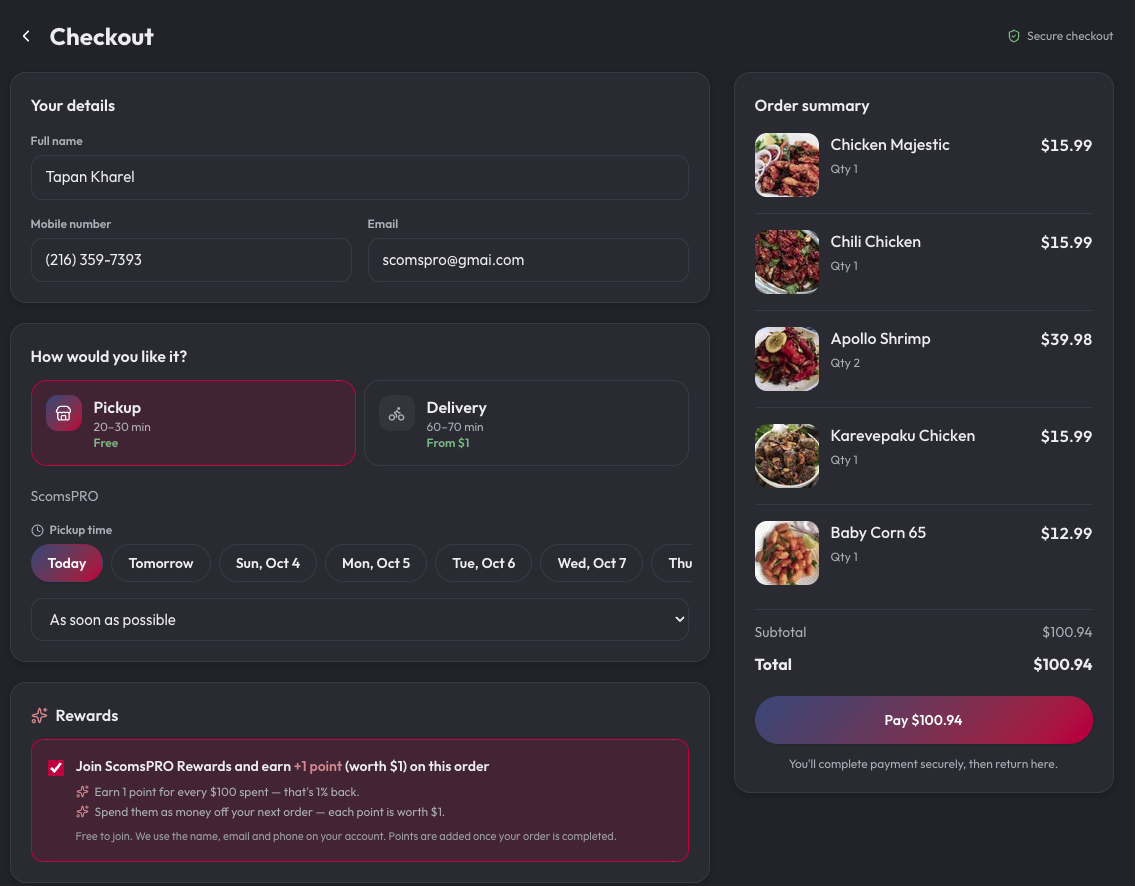
Start with pickup. It's simpler, there's no driver to pay, and the food arrives the way you made it. If you add delivery with your own drivers, you'll need to decide how far you'll go, what you'll charge, your minimum order, and maybe a free-delivery threshold to nudge order sizes up.
Turn on scheduled orders too. Letting someone order at 10 for a 12:15 pickup spreads the lunch rush out, and office lunch orders tend to be big ones. Not sure whether delivery is worth it for you? We put numbers on it in pickup vs delivery.
5. Sort out payments
Take card payment online so the order's paid for before you cook it. Then decide whether you'll allow pay-at-pickup (some regulars will expect it) and whether people can use gift cards and loyalty points at checkout. Card processing costs something with every provider, so ask what the rate is and whether it's included in the fee you've been quoted.
6. Do a dry run with your staff
The first busy Friday is where online ordering either works or doesn't. Before you announce anything, sit down with whoever will be on shift and talk it through. Who accepts new orders, and how quickly? What prep time do you quote at 7pm on a Saturday compared with 3pm on a Tuesday? Where do finished pickup orders go? (A shelf by the door with names on the bags saves a lot of confusion.) How do you pause orders, or mark something sold out, when the kitchen's buried?
Then place a few real test orders from your phone and follow each one all the way through, refund included. Whatever goes wrong, fix it now, while nobody's waiting.
7. Launch, and actually tell people
Adding a link to your website isn't a launch. Put the ordering link on your Google Business Profile, Instagram and Facebook. Put a QR code on the counter, the door, the table menus and the receipts. Slip a card into every takeout bag, including the ones going out through delivery apps, saying something like "Order direct next time and earn points."
And tell your regulars at the counter. It sounds too simple to matter, but someone they know saying "you can order ahead on our website now" works better than any ad you could buy.
After launch, watch four numbers
How many of your online orders come direct rather than through apps. Your average order online compared with the counter. How many people order a second time within a month. And whether prep times and complaints hold up on busy nights. If the first three are climbing and the fourth isn't, you're doing it right.
If you'd like a hand
NEAPES builds your ordering website for you from your menu, free of charge. You get pickup and delivery on your terms, Stripe checkout, gift cards and loyalty, and orders that arrive on your ScomsPOS with kitchen tickets, while customers get email updates (and texts in the US) as their order moves along. It's $45 a month plus a 4% platform fee per online order, with no commission. See how it works or book a free demo.
Frequently asked questions
How long does it take to set up online ordering?
With a hosted ordering system, a few days is normal. Most of that time goes on the menu (photos, descriptions and options) and on testing the kitchen side, not on the technology.
Should I start with pickup or delivery?
Pickup. There's no driver to pay, it's simpler to run, and it's the most profitable online order you'll get. Add delivery once you know your radius, fee and minimum order make it worthwhile.
Does my online ordering need to connect to my POS?
We'd strongly recommend it. When online orders arrive on the POS with the payment recorded and kitchen tickets print automatically, nobody has to re-type orders, and one shared menu keeps your prices consistent.
How do I get customers to use my new ordering website?
Link it from your Google profile and social accounts, put QR codes on the counter and receipts, add a card to every takeout bag, tell regulars in person, and give a reward for ordering direct.
What does online ordering cost a restaurant?
It depends on the model. Delivery apps take a commission on each order, often 15 to 30 percent on delivery. Your own ordering website usually costs a flat plan plus a small per-order fee. NEAPES, for example, is $45 a month plus 4% per online order.
Tagged: